
Partial Payments
One invoice, flexible payments
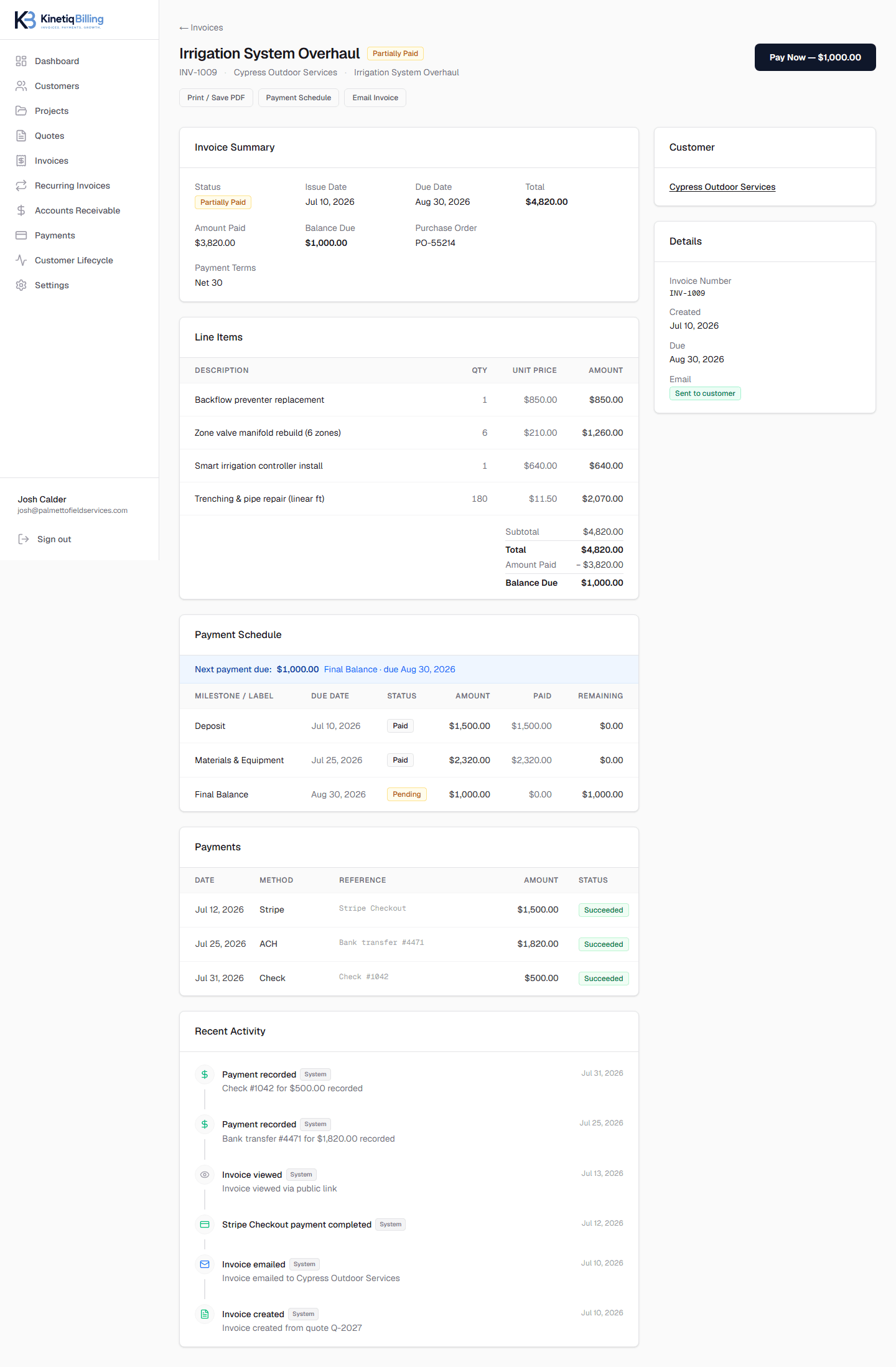
Not every job needs separate milestone invoices. A single invoice can carry its own payment schedule — deposit, progress amount, final balance — and the customer's payment page always shows exactly what's due, while still letting them pay the full balance if they'd rather be done with it.
One invoice to manage
The whole payment schedule lives on a single invoice instead of several.
Customer sees what's due now
The payment page shows the current scheduled amount, with the option to pay in full.
Balance updates instantly
Every payment — online or manual — recalculates the remaining balance right away.
How it works
Set the payment schedule
Deposit, progress amount, and final balance on one invoice.
Send the invoice
One secure link for the entire schedule.
Customer pays what's due
Or pays the full remaining balance instead.
Balance and AR update
Reflected immediately across the workspace.
Deposits, milestones, and a final balance — all on one invoice, with every payment recorded.
Frequently asked questions
How do partial payments work on a single invoice?+
An invoice can carry a payment schedule — deposit, progress amount, final balance — and the customer's payment page shows exactly what's currently due, while still allowing them to pay the full remaining balance if they prefer.
Does the remaining balance update automatically after a partial payment?+
Yes, the invoice balance, payment schedule status, and accounts receivable aging all update immediately after any payment — online or manually recorded.
Related
Related feature
Bill in phases, without losing track of any of them
Turn an accepted quote into separate invoices for each deposit, progress payment, and final balance — each tracked independently.
Related feature
Invoices that track themselves from sent to paid
Create invoices from scratch or from an accepted quote, with automatic sent/viewed/paid lifecycle tracking and PO number support.
Related article
How Partial Payments Work
A partial payment reduces the invoice balance without closing it out — the key is a payment schedule and a balance that recalculates automatically after every payment.
Ready to simplify your billing?
KinetiqBilling handles quotes, invoices, receivables, payments, recurring billing, and related workflows, and is currently available by request rather than open signup.